Editor block
When you wish to add text, bullet list or table to your page, use Editor block.
Recommended views are full and half width for the optimal outcome.
Editor block has rich text editor with different styles, such as
- Paragraph
- Heading styles (H1-H3), please avoid using H1 in the editor as page template already as H1
- Quote
- Bullet list
- Table
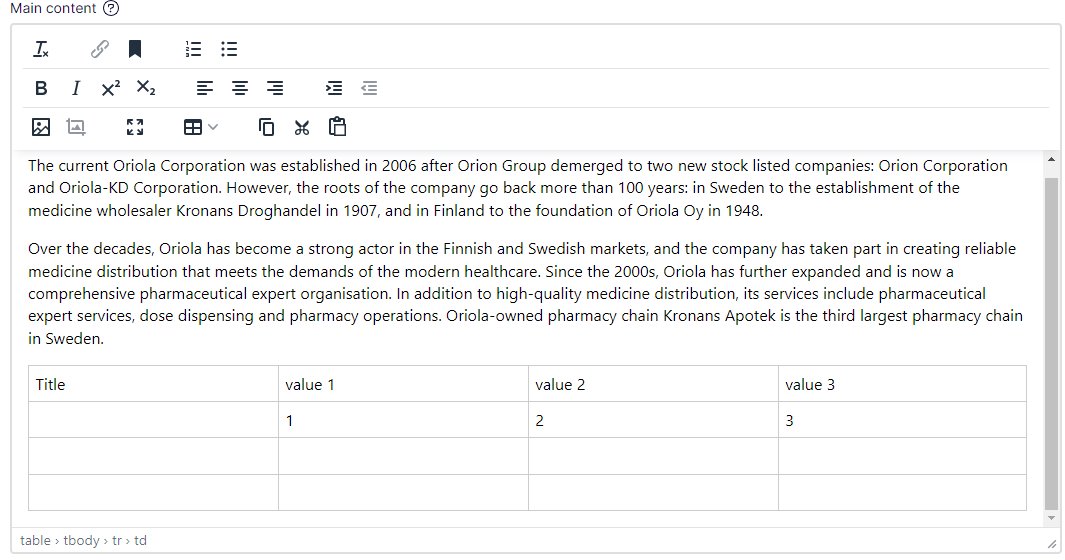
Text styles can be found in the dropdown ‘Paragraph’.
Chain icon is to create links.
Numbered list and bullet list are available.
Align and justification can be changed.
Image: for better user experience it is preferred to use the Image block, but images can be added to this block.
Full screen (4 outside pointing arrows): opens the editor in full screen.
Table: insert table. Tables use predefined styles.