Project feature
With Projects feature you can make changes and then publish them at once.
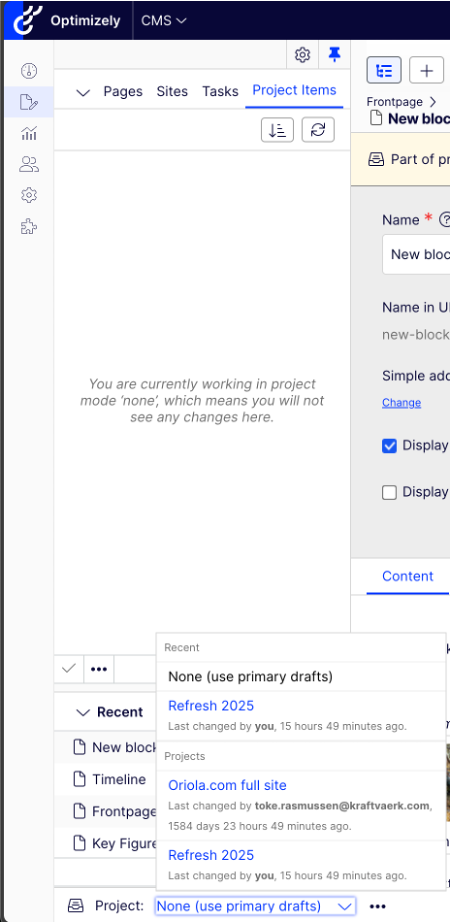
Projects can be found in the left hand side panel and in the left hand corner on bottom. By default there is not project chosen.
When a project is selected from the bottom list, all changes are attached to the chosen project. The changes are listed on the panel. If you don’t press Publish, the changes are saved, but not published. If you need to make a change outside the project, make sure there no project chosen in the bottom and publish the changes normally when they are done.
For publishing all changes at once, you need to mark the item as Ready to Publish and when you publish, all marked items will be published.
It is a good practice to remove published items from the project.